Z(n) Gamepad Binder App: Binding Left/Right Force Clicks to Gamepad Left/Right Triggers and much more
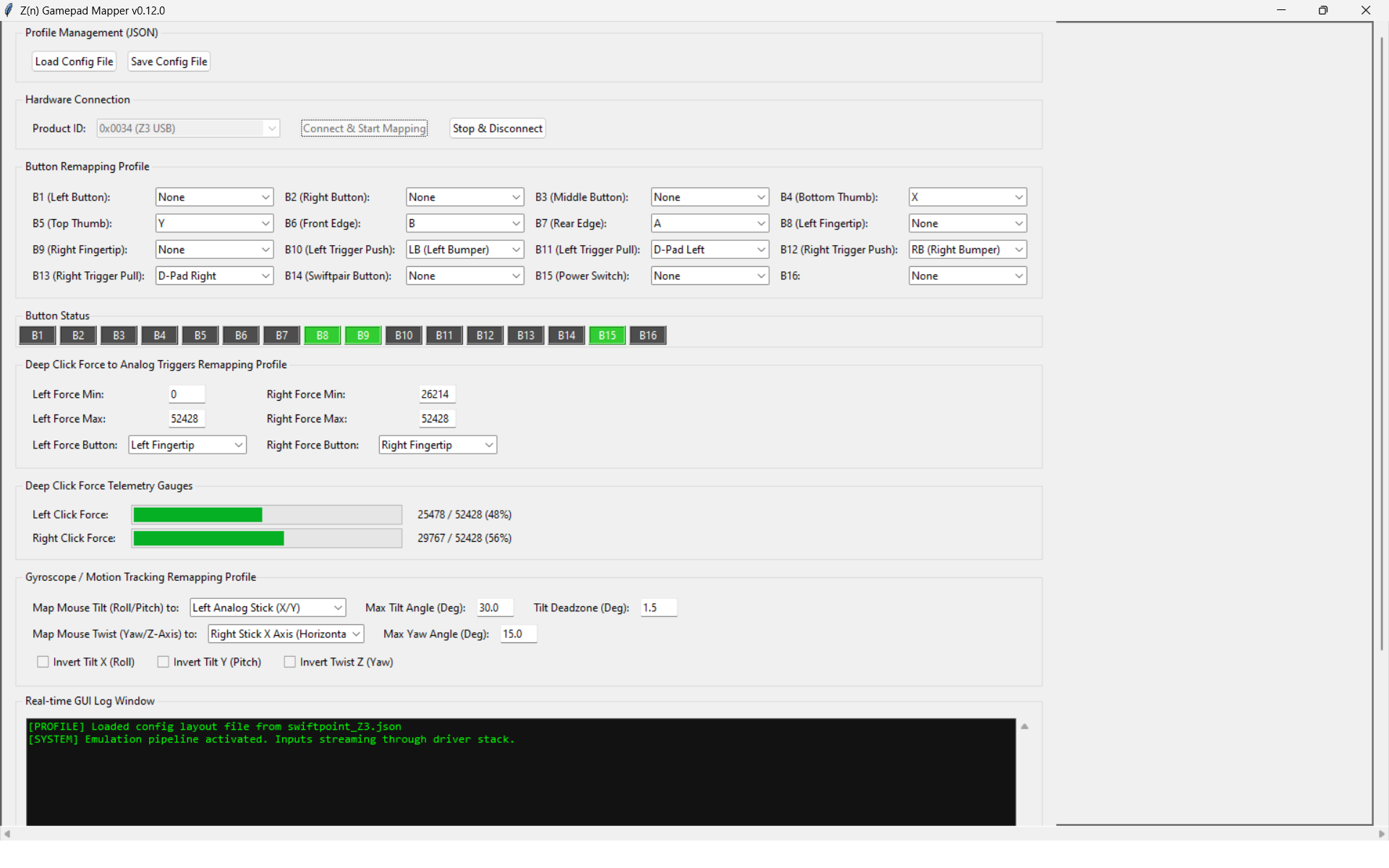
Please see Github project:
https://github.com/kircheisgreen/Z-n-Gamepad-Binder
Code was based on ZRawSensorEventsSpecification.pdf from this thread:
https://support.swiftpoint.com/portal/en/community/topic/cannot-map-axis-other-than-slider-to-a-force-button-in-x1
I recently created this "Z(n) Gamepad Binder" app to test, verify, and compensate for Right Force Clicks on my Z3 that seem to always start at around 35-45% Force Strength (expected is start at 0-1%) even after Force Sensor calibration attempts.
Swiftpoint explained the reason for this in this thread:
I also added mapping of the Swiftpoint Z series Left/Right Force Clicks to a Virtual XBOX Left/Right triggers, Swiftpoint Z series Tilts to Left/Right sticks, and Swiftpoint Z series mouse button to gamepad buttons.
If you bind and press the Left Fingertip button half-way, the Left Trigger on this Virtual XBOX Controller will have the same ranged value. You can also customize the min and max of the Force Click ranges.
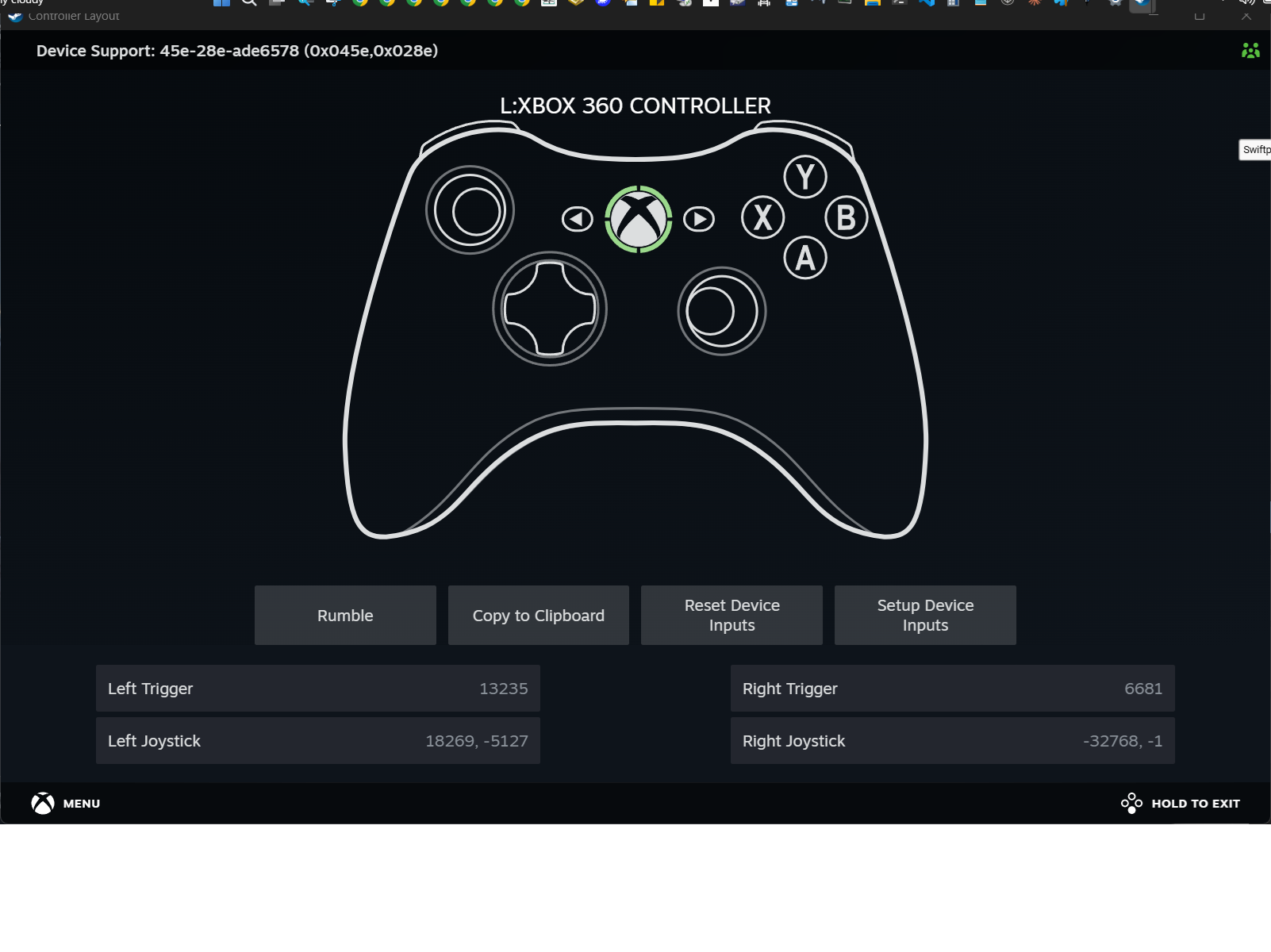
Just wanted to share if you've ever wanted to customize the Buttons, Force Clicks and Tilt Axes.
Please see other project I've just completed as well related to a popular keyboard that starts with "W" at same Github: https://github.com/kircheisgreen
Enjoy!
If you bind and press the Left Fingertip button half-way, the Left Trigger on this Virtual XBOX Controller will have the same ranged value. You can also customize the min and max of the Force Click ranges.
Just wanted to share if you've ever wanted to customize the Buttons, Force Clicks and Tilt Axes.
Please see other project I've just completed as well related to a popular keyboard that starts with "W" at same Github: https://github.com/kircheisgreen
Enjoy!
I recommend you always build the executable binary yourself. Just in case you are not able to, please see:
https://github.com/kircheisgreen/Z-n-Gamepad-Binder/releases
P.S.
Note 1: On my old laptop, the app seems to lag at times. If you experience the same I appreciate any feedback. On my gaming PC, it works just fine.
Note 2: If you want to see the ZRawSensorEvent data, edit file "z_n_gamepad_binder.py" and uncomment (remove "#" symbol at beginning) lines 93 and 116:
line 93: #print(f"[Report A Native Console Logger Output Frame] {parsed_data}")
line 116: #print(f"[Report B Native Console Logger Output Frame] {parsed_data}")